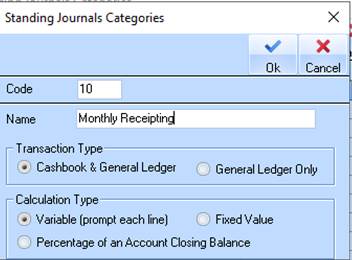
1. Create a New Category for Receipts as shown below
2. In this sample the Calculation Type is ‘Variable’ which will prompt for a value to be entered.

3. If necessary create a separate Standing Journal Batch
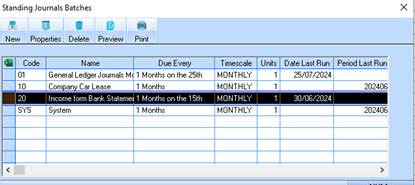
4. Go back to the Batch properties
5. Click on the New button
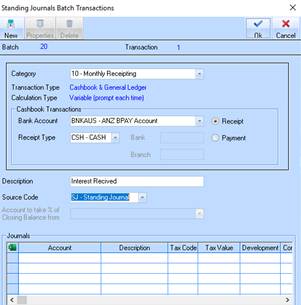
6. Select the Category and select ‘Receipt’ Transaction Type
7. Select Bank account, enter a Description and select a Source Code
8. Click on New button
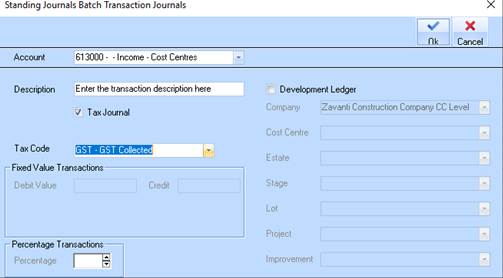
9. Select General Ledger Account, enter a Description and tick tax code if necessary for this transaction.
10. Note that Value is not entered, this type of transaction will prompt for a value when processed.
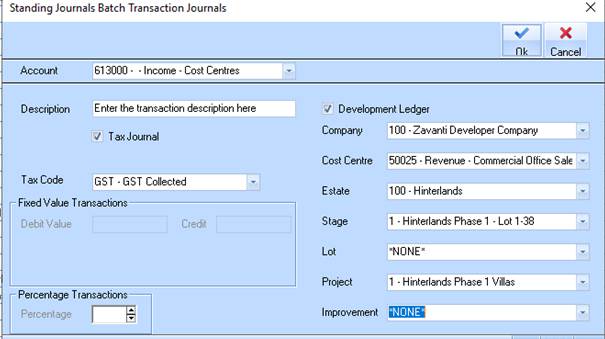
11. If this Revenue is related to a Development Project stick the Development Ledger box and select the Project details.
12. Click on OK
13.