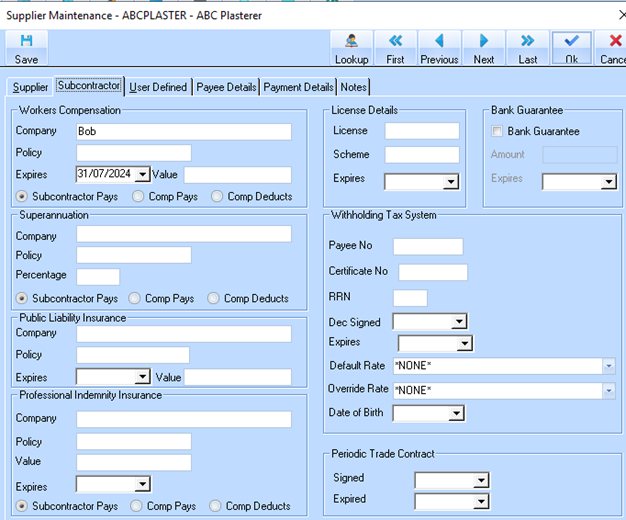
Accounts Payable set up for Subcontractors includes Professional Indemnity Insurance fields. Information that can be maintained includes:
•Company
•Policy
•Value
•Expiry Date
•Who pays the insurance (Subcontractor, Company pays, or Company deductions)
1. To enter the information for existing contractors, right click on the company name and click the Properties button. You can also right click on the selected name and choose “Properties” from the popup menu. The Professional Indemnity Insurance fields can be found on the Subcontractor Tab in the Supplier Maintenance window. (Note: This tab will be greyed out if the company is not a subcontractor.)