(See also create new Stock Type with Multiple Cost of Sales Calculation)
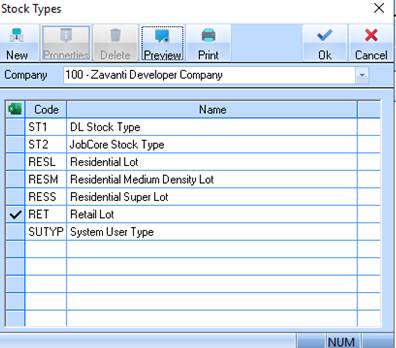
1. Select a menu path of Maintenance Ø Stock Type. The following window will be displayed:
2. Select the New button. The following window will be displayed:
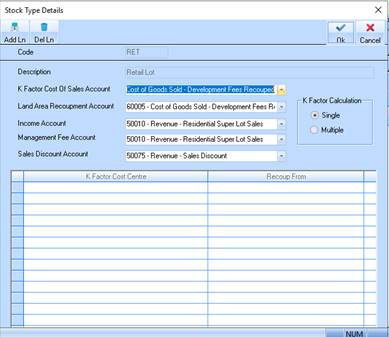
3. The Code field is used to assign the Stock Type a unique code. The code is alphanumeric, with a maximum of 5 characters. We suggest that you use a number. The code cannot be changed once created. Enter a value and press Tab.
4. The Description field is used to enter a descriptive name to identify the Stock Type. Enter a value and press Tab.
5. The Cost of Sales Cost of Sales Account pick list is where you specify the Cost Centre to which you allocate Cost of Sales. Select a value from the list and press Tab.
6. The Land Area Recoupment Account pick list is where you specify the Cost Centre to which you allocate the amount of your Land Are recoupment. Select a value from the list and press Tab.
7. The Income Account pick list is where you specify the Cost Centre to which you allocate your credit transactions at time of sale. Select a value from the list and press Tab.
8. The Management Fee Account pick list is where you specify the Cost Centre to which you allocate your management fee transactions. Select a value from the list and press Tab.
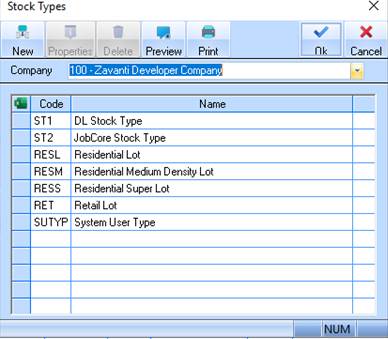
9. Press the OK button. The refreshed Stock Type window will be displayed as follows: