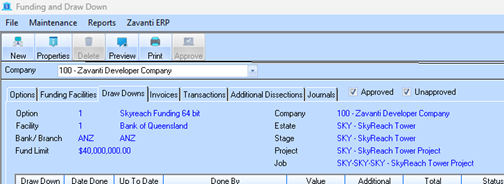
The Toolbar provides the key actions used throughout the Funding module:
|
•New – Create a new record based on the selected tab (e.g., new Option, new Facility, new Draw Down).
•Properties – View or edit details for the selected record.
•Delete – Remove the selected record where permitted.
•Preview – Preview reports or information related to the selected tab.
•Print – Print the selected report or information.
•Journal – Enter or view journals relating to the selected Funding Facility.
Note:
Toolbar actions
always apply to the item shown on the currently selected tab.
For
example, selecting New while on the Options tab will create a new
Funding Option.