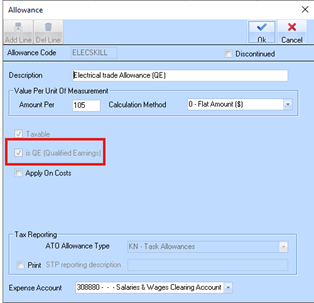
3. Go to Payroll → Maintenance > Allowances.
4. Confirm that all Allowance items are correctly flagged as ‘QE’ in accordance with the ATO requirements.
|
ℹ️ |
Please note that if your Allowance type(s) is incorrectly flagged as ‘QE’ and the field is ‘disabled’ you may need to create a new allowance to replace it and then apply that work type to all your existing employee timesheet records where applicable. |
5. Confirm that all non-QE Allowance items are NOT flagged as ‘QE’ in accordance with the ATO requirements
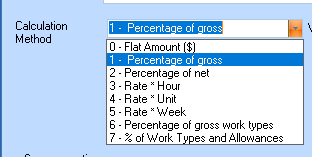
6. Allowances flagged as QE are now included in the calculation of Contributions set to Option 1 – Percentage of Gross. Previously, this calculation only included Work Types, but it now incorporates both QE-flagged Work Types and Allowances to provide a more accurate gross earnings base for calculation of Super Liability.