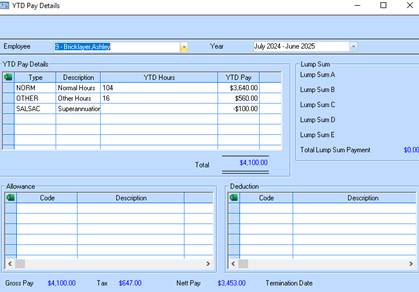
The Year to Date Pay Details enquiry function allows you to display all pay, allowance and contribution data for the current financial year for a selected employee.
1. Select a menu path of Enquiries Ø Year to Date (YTD) Pay Details.
2. Select a value from the Employee pick list by pressing the dropdown arrow. The system will dynamically update the window based on your selection as follows:
3. Details of the pay periods are maintained as part of the Contribution/Deduction detailed transaction tabs on the employee enquiry window.