
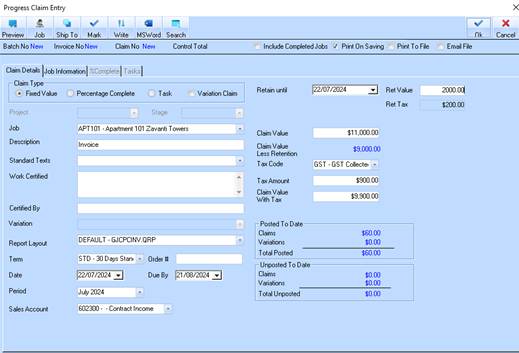
1. Retention tax is now displayed during generation of the Progress Claim
2. The Retention tax cannot be edited but will be recalculated if the retention value is manually entered.

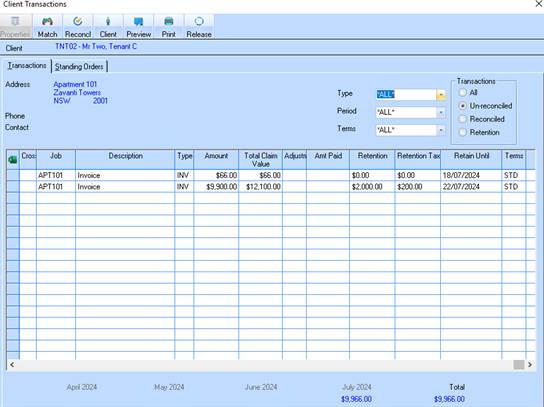
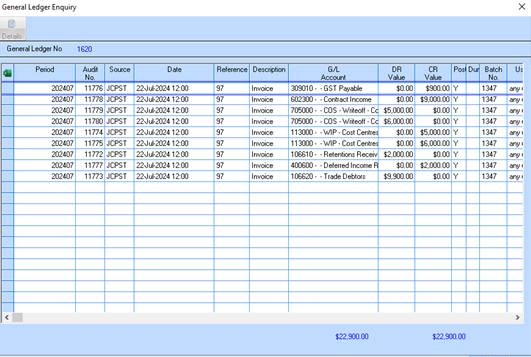
3. Retention is still displayed in the invoice header. Retention tax is now also displayed in the client enquiry window. See below sample for general journals showing the retention held transactions
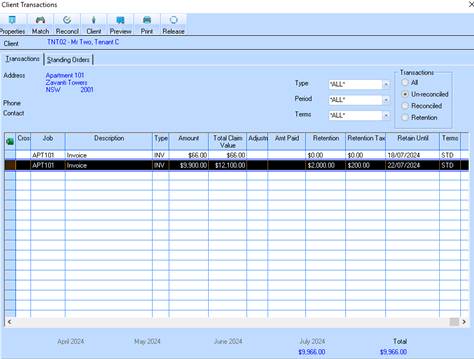
4. To release retention highlight transaction and click on Release button

5. Value of Release is displayed in header. If only partially releasing, click into here and type amount of the release. Click on the details tab
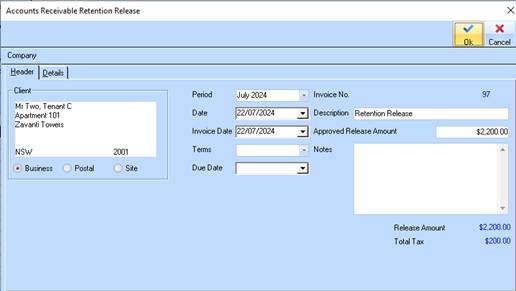
6. In this example 50% of the retention is being released
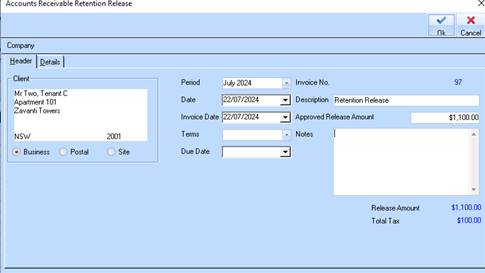
7. Ensure that the Period and Date are correct in the Header. You can overtype the description if required. Click on the Details tab
8. Debits and Credits are in balance
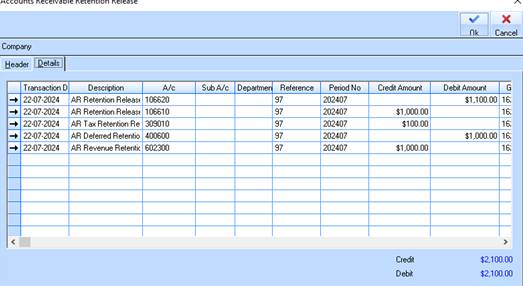
9. Click on the OK button to finalise the retention release.
10. The retention release will print a “release docket” to the default printer. This can be used for the client if required.

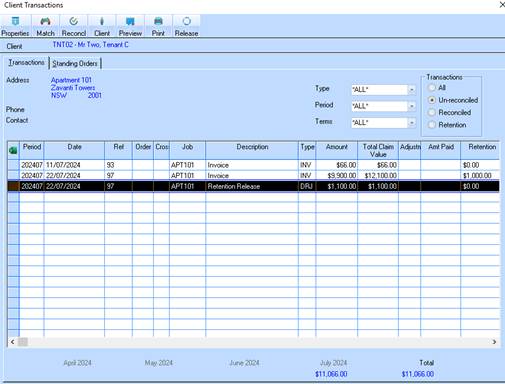
11. The retention release has generated a new DRJ transaction to which a receipt can be applied. Note that the new transaction retains the original invoice reference number. Any retention release for transactions created prior to version 10.4 will still follow existing functionality and release it against the original invoice.
12. Drilling down onto this new transaction will show all journals associated with the original invoice.


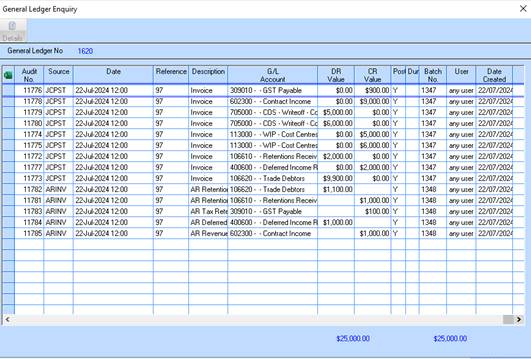
13. The outlined journals are created from the Retention Release and associated with the original invoice.
14. The value of retention now displayed in the Client Enquiry has now been reduced by the Retention Release.

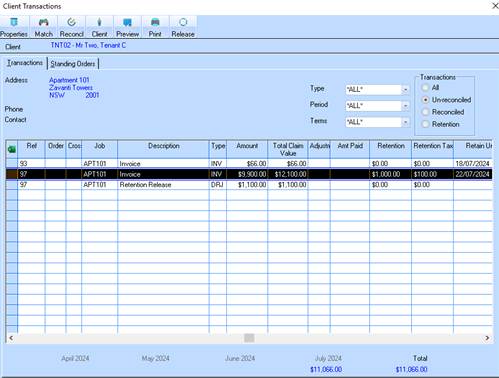
15. In the sample used here the retention value has now reduced by the part retention release
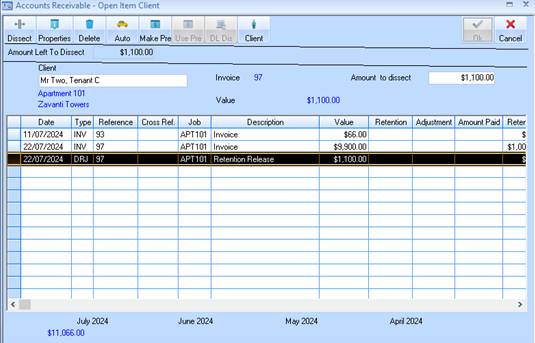
16. When the client pays for the retention release the Receipt is dissected to the DRJ transaction.
17. The following client enquiry sample displays all transactions
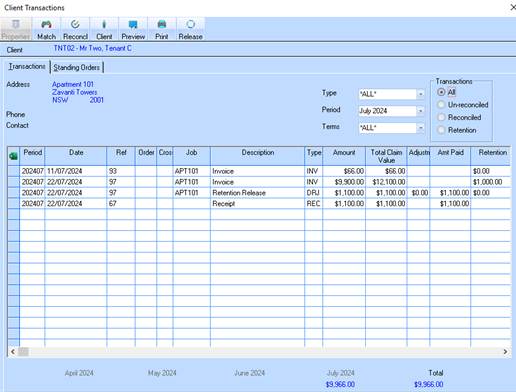
18. Note the original invoice and the retention release has the same Reference number.
19. Tax Reporting – below are sample tax reports based on both Cash and Accrual
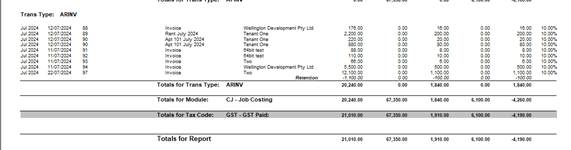
20. Tax Report Accrual – Retention Release
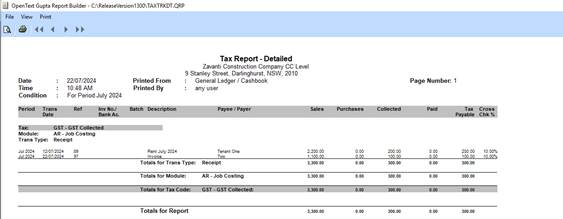
21. Tax Report Cash – Original receipt and Retention Release receipt.