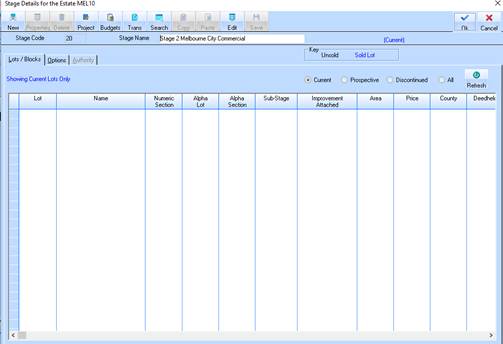
1. To maintain the create lot details, select the Stage Line Item and press the Properties button. The following window will be displayed:
2. Select the New button. The following window will be displayed: See Stock Details for explanation of each field.
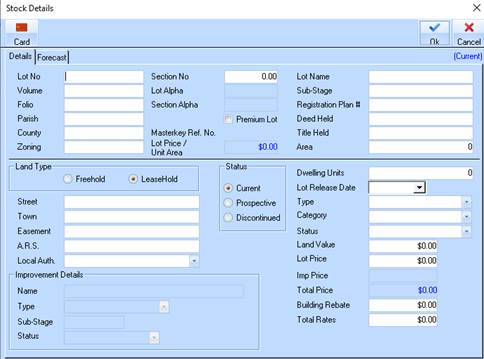
3. Enter a value in each field and press the Tab key to move to the next field. See below for field descriptions.
|
|
You can add a Local Authority code by selecting a menu path of Maintain Ø Local Authority. |
4. Press the OK button. The dialogue box will be displayed:
|
|
If you change the Status, you will be prompted to enter a reason for the change upon save. |
5. Leave the Date and Expiry Date fields as defaulted and position your cursor in the Notes field.
6. Enter some information pertaining to the status change and press the Tab key.
7. In the Requested By field, type in your name. Press the Tab key.
8. In the Approved By field, type in your Training Consultant’s name. Press the Tab key.
9. Press the OK button. You will be returned to the refreshed Estate Details window.

